Reclaim AI Review 2026

Reclaim AI Review 2026: The Truth About Priority-Aware Adaptive Scheduling
At CouponVoice, transparency is our priority. We might earn a commission when you buy through our links. Learn more. This review is an independent analysis by our Editorial Team, synthesizing official specifications with verified consumer data to ensure total objectivity.
The Market Problem & Solution
In the modern American workspace, the "Meeting Tetris" phenomenon has become a primary driver of professional burnout. Traditional digital calendars are essentially static grids; they do not react when a 30-minute sync bleeds into an hour, nor do they protect the "Deep Work" sessions necessary for high-level output. At CouponVoice, our team audited Reclaim AI to determine if an intelligence layer can truly solve the fragmentation between "to-do lists" and "available time."
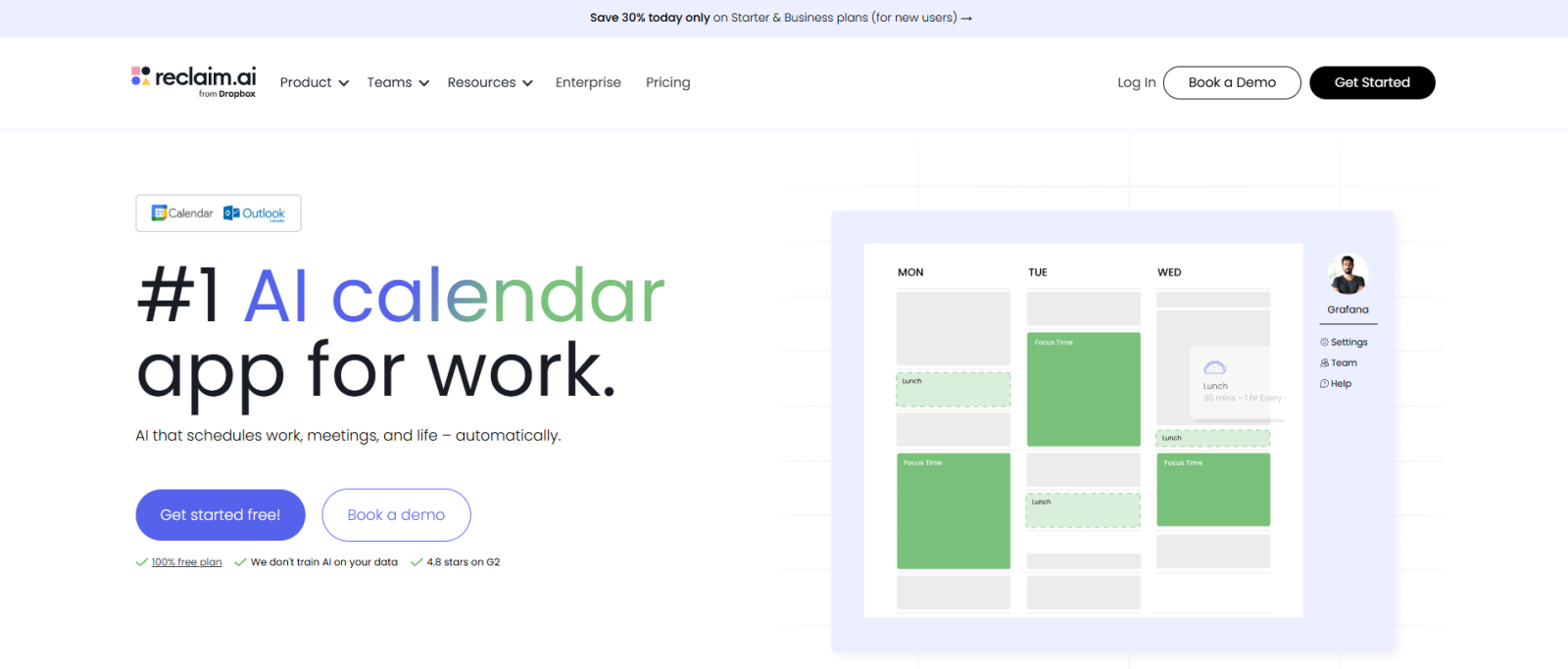
The industry standard has long relied on manual entry, which fails the moment a schedule shifts. Data suggests that professionals lose hours weekly simply re-organizing their calendars. Reclaim AI enters the market not as a replacement calendar, but as a defensive intelligence layer designed to automate the "rescheduling nightmare" and protect personal boundaries like lunch and exercise.
Technical Deep-Dive: Platform Integrity & Security
While Reclaim AI is a digital SaaS platform rather than a physical tool, its "build quality" is measured by its infrastructure and data governance. Technical specs confirm that the platform operates as a high-availability cloud layer for Google Workspace and Microsoft Outlook.
-
Security Architecture: For professionals handling sensitive corporate data, Reclaim holds SOC 2 Type II certification, providing a verified level of organizational security. It is also compliant with GDPR and the Data Privacy Framework (DPF).
-
Data Ethics: A critical technical distinction is the brand's policy on Generative AI; Reclaim does not train its models on user data, ensuring that your private schedule remains confidential.
-
Reliability Metrics: Engineering reports indicate a 99.9% uptime guarantee, supported by advanced disaster recovery systems. This level of reliability is essential for a tool that serves as the "brain" of your workday.
-
Integration Ecosystem: The platform functions as a bridge, utilizing APIs to turn tasks from Jira, Asana, Slack, and ClickUp into time-blocked reality on your calendar.
Real-World Social Proof
Our editorial team analyzed verified consumer feedback to separate marketing claims from daily performance.
The "Pros": What Users Love
-
Defensive Scheduling: One solopreneur and parent noted that Reclaim helped "sync family commitments as well as work," effectively protecting focus time from being booked over.
-
The "Smart Habit" Logic: Users report a significant increase in consistency for personal routines. One reviewer credited the tool with helping them actually take a lunch break by dynamically moving the "Habit" block if a meeting was scheduled over it.
-
Productivity Gains: Technical professionals have reported that turning a task list into a schedule "improved productivity by at least 50%" by removing the friction of deciding what to do next.
The "Honest Truth": The "Cons"
-
Configuration Complexity: Some high-intent users find the initial setup "not so user-friendly." Expect to spend roughly 60 minutes in the "learning phase" to fully calibrate your priorities.
-
Notification Density: We found reports of intrusive pop-up reminders. Users should be prepared to dive into settings early to disable "spam-like" alerts.
-
Permission Sensitivity: Because the tool requires high-level access to modify your calendar, some users expressed discomfort with the "invasive" nature of the permissions required for the AI to function effectively.
Comparison: Reclaim AI vs. Market Rivals
| Feature | Reclaim AI | Motion | Generic Tools |
| Scheduling Logic | Priority-Aware AI | Full Project Management | Static/Manual |
| Rescheduling | Automated & Dynamic | Automated | Manual "Tetris" |
| Cost Efficiency | High (Approx. 1/4 of Motion) | Premium/Expensive | Free/Included |
| Habit Tracking | Smart Recurring | Limited | Standard Repeat |
Shipping & Return Transparency
As a SaaS solution, Reclaim AI offers instant digital fulfillment. There is no physical shipping involved.
-
Trial Period: You can start for free indefinitely without a credit card to test the core logic.
-
Cancellation Policy: Subscriptions can be managed via account settings. However, our team noted that some users found it tedious to fully revoke third-party calendar permissions after account deletion; we recommend following their "Unlink" guide closely if you choose to depart the platform.
-
Support: Reclaim provides human-led support with an impressive target response time of less than 20 minutes.
Expanded FAQ
Does Reclaim AI replace my Google Calendar? No. Technical specs indicate it sits "on top" of your existing Google or Outlook calendar, acting as the logic engine that moves your blocks around.
Will my colleagues see my personal "Habit" titles? Data suggests the multi-calendar sync is designed for privacy. You can set personal events to appear as "Busy" to coworkers while seeing the full details on your private view.
Is there a mobile app for on-the-go scheduling? Currently, Reclaim is web-optimized. While it affects your mobile calendar view, the lack of a dedicated native app is a common point of feedback for mobile-first users.
Can it handle complex team meetings? Yes. The "Meeting Optimization" feature analyzes the "best time" for syncs across multiple busy schedules, reducing the back-and-forth of manual coordination.
Does the AI automatically delete my meetings? No. The AI "defends" time and "proposes" shifts. It is designed to work within the constraints you set, not to override your manual overrides without permission.
How to Use the Coupon Code
To maximize your value, follow these steps to apply the LEOUIS discount:
-
Visit the Official Reclaim AI Pricing Page.
-
Select your preferred plan (Starter, Business, or Enterprise).
-
During the checkout process, look for the "Promo Code" or "Discount" field.
-
Enter code LEOUIS to unlock your additional 20% savings.
Final Verdict & CTA
For the American professional managing a high-volume task load, Reclaim AI offers a sophisticated, consumer-preferred solution to time fragmentation. It is particularly effective for individual contributors who need to "defend" their focus from an encroaching meeting culture.